

*Cube-Host– full cloud services!!
: Function WP_Styles::add was called incorrectly. The style with the handle "hello-elementor-child-style" was enqueued with dependencies that are not registered: hello-elementor-theme-style. Please see Debugging in WordPress for more information. (This message was added in version 6.9.1.) in /home/csrkub/domains/cube-vps.com/public_html/wp-includes/functions.php on line 6131
Notice: Function WP_Scripts::add was called incorrectly. The script with the handle "gpress-custom-js" was enqueued with dependencies that are not registered: gpress-siema. Please see Debugging in WordPress for more information. (This message was added in version 6.9.1.) in /home/csrkub/domains/cube-vps.com/public_html/wp-includes/functions.php on line 6131
*Cube-Host– full cloud services!!
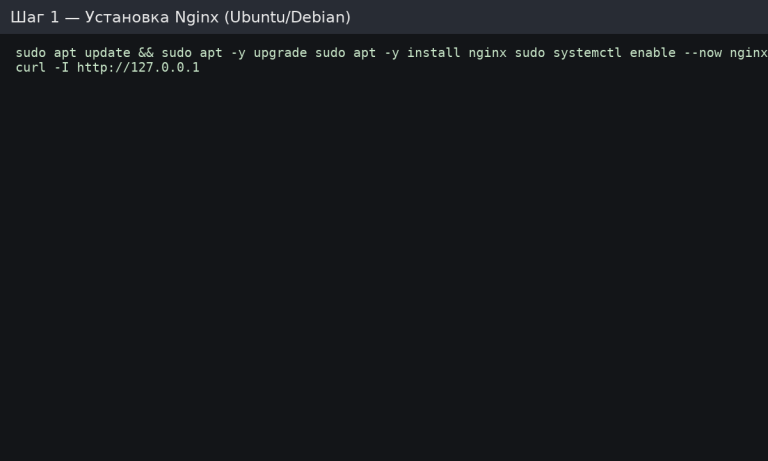
We expect 200 OK headers. The Nginx start page is usually located in /var/www/html/.
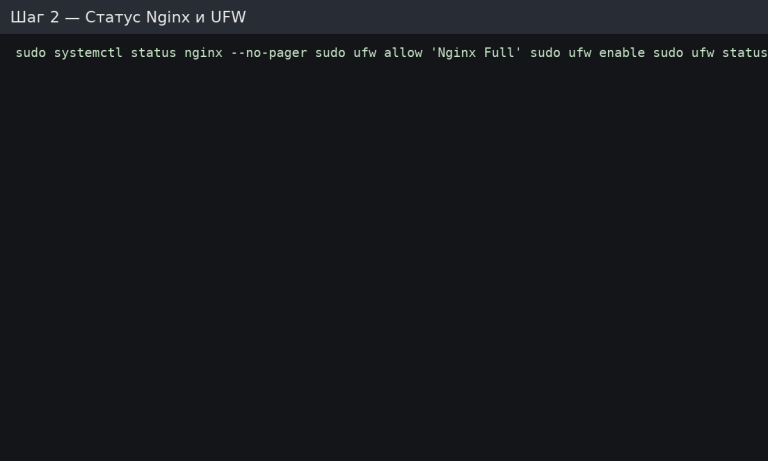
If UFW is not used, ensure that 80/443 are open in the cloud firewall/provider panel.
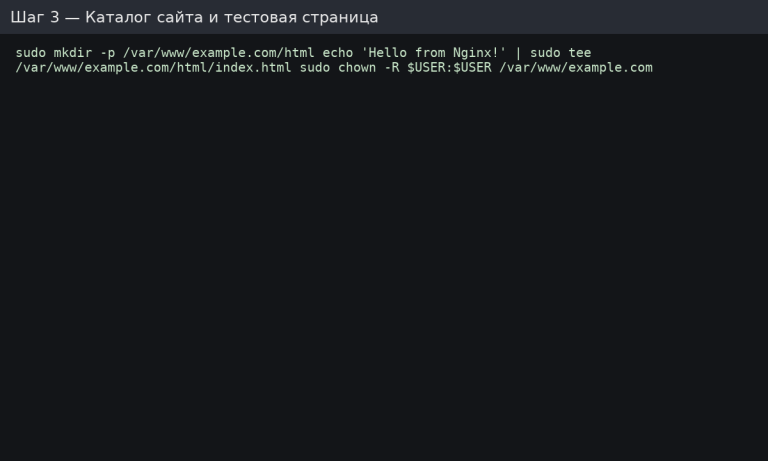
We recommend a separate directory for each domain: /var/www/<domain>/html.
File /etc/nginx/sites-available/example.com:
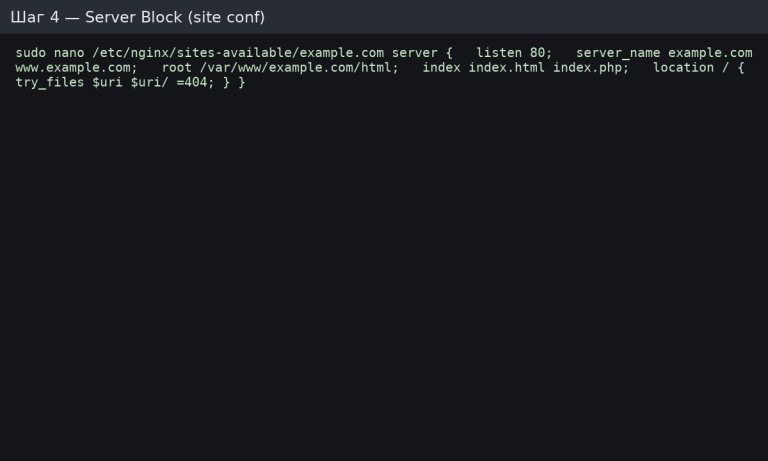
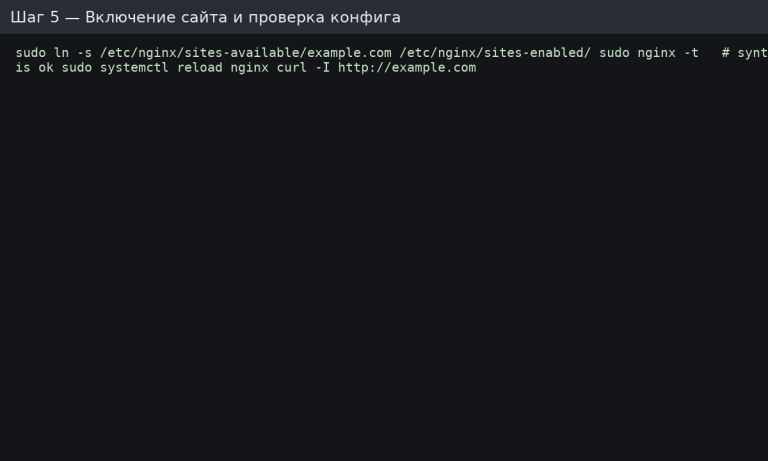
If nginx -t displays errors, correct the configuration (root path, domain names, closing brackets, etc.).
Create the file /etc/nginx/conf.d/optimizations.conf:
Restart the config:
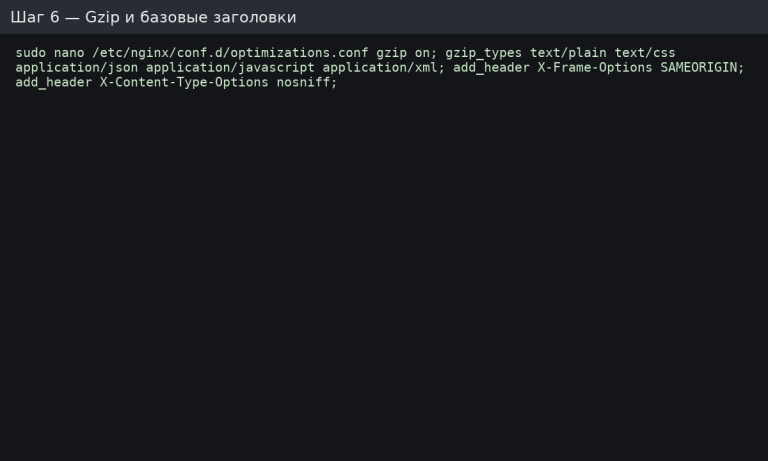
For production, consider CSP/Permissions-Policy — but test step by step so as not to “miss” the front end.
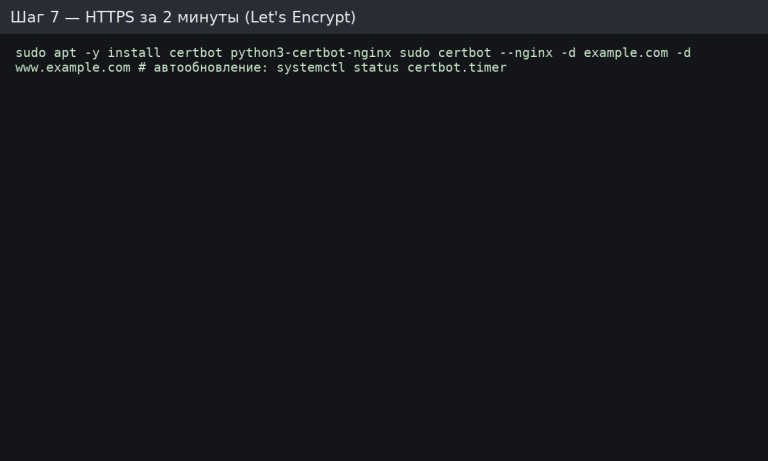
Certbot will write a 301 redirect to HTTPS and create a job for auto-renewal. Check https://example.com.
Install FPM and connect it to Nginx:
In the site configuration (/etc/nginx/sites-available/example.com), add the following block:
We check and reread:
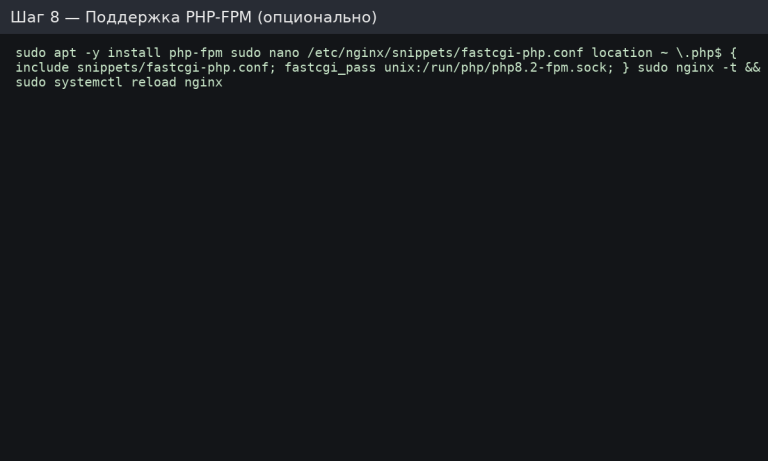
To verify, create /var/www/example.com/html/info.php with <?php phpinfo(); ?>, open it in a browser, and then delete the file.
Check units and ports:

