

*Cube-Host– full cloud services!!
: Function WP_Styles::add was called incorrectly. The style with the handle "hello-elementor-child-style" was enqueued with dependencies that are not registered: hello-elementor-theme-style. Please see Debugging in WordPress for more information. (This message was added in version 6.9.1.) in /home/csrkub/domains/cube-vps.com/public_html/wp-includes/functions.php on line 6131
Notice: Function WP_Scripts::add was called incorrectly. The script with the handle "gpress-custom-js" was enqueued with dependencies that are not registered: gpress-siema. Please see Debugging in WordPress for more information. (This message was added in version 6.9.1.) in /home/csrkub/domains/cube-vps.com/public_html/wp-includes/functions.php on line 6131
*Cube-Host– full cloud services!!

This step is performed before rewriting the disk and installing MikroTik CHR. After writing the RAW image, the current Ubuntu will be completely removed, SSH access will disappear, and you will only be able to configure the network in CHR manually via the emergency console, using the previously saved settings. Therefore, before continuing, be sure to record the network settings provided by the provider.
Example: 203.0.113.10/24
This value will be used when adding an IP address to CHR.
Example: 203.0.113.1
This address will be needed to configure the default route.
If the IP is issued with a /32 mask (often found with VPS providers), this will require special configuration on the CHR side.
Example of a network with /32:
For such networks, the gateway is specified manually when adding an IP address.
sudo -i
ip -c a
ip -c rsudo -i
apt update && apt -y install unzip
ip -c a # record your IP/prefix, for example 203.0.113.10/24
ip -c r # write down the default gateway, for example 203.0.113.1This will be useful when initially configuring CHR via the console after rebooting.
cd /tmp
wget https://download.mikrotik.com/routeros/<VER>/chr-<VER>.img.zip
unzip chr-<VER>.img.zip   # we will receive chr-<VER>.img
Where <VER> is the stable version. If the latest version does not load, use 6.49.10, then update via CHR.
fdisk -l
# For example, the target disk /dev/sda
Caution: ensure the device is correct, as writing will be destructive.
echo u > /proc/sysrq-trigger
sync
This reduces the risk of a “broken” image when using dd (there have been cases of xz-compressed data is corrupt).
dd if=chr-<VER>.img of=/dev/sda bs=4M oflag=sync status=progressWait until it finishes without errors. This will completely overwrite your current Ubuntu.
echo 1 > /proc/sys/kernel/sysrq
echo b > /proc/sysrq-trigger
SSH will disconnect. The VPS will boot under CHR in its default state — there is no network yet.
In the RouterOS console (menu-oriented CLI):
ip
address
add
address=203.0.113.10/24
interface=ether1
RouterOS will calculate the network/broadcast based on the prefix; the address can also be added to a single line:
/ip address add address=203.0.113.10/24 interface=ether1If the provider issues a public IP with a /32 mask and an “external” gateway (for example, 10.0.0.1), set the network manually:
/ip address add address=85.85.85.85/32 interface=ether1 network=10.0.0.1Then the default route:
/ip route add gateway=10.0.0.1This is a standard working recipe for /32, confirmed by practice.
Short form:
/ip route add gateway=203.0.113.1After setting the address and gateway, CHR will be accessible over the network.
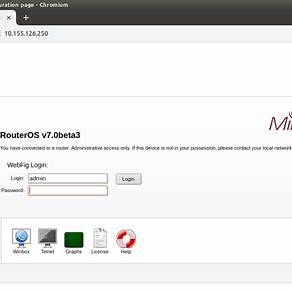
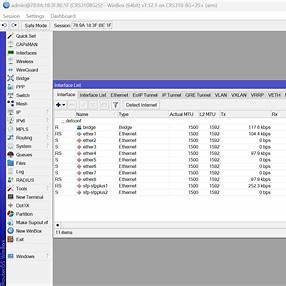
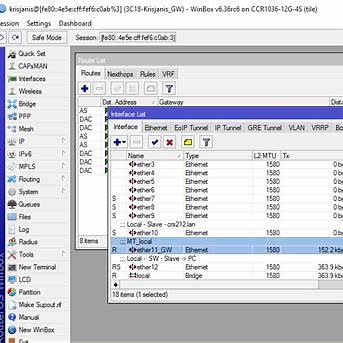
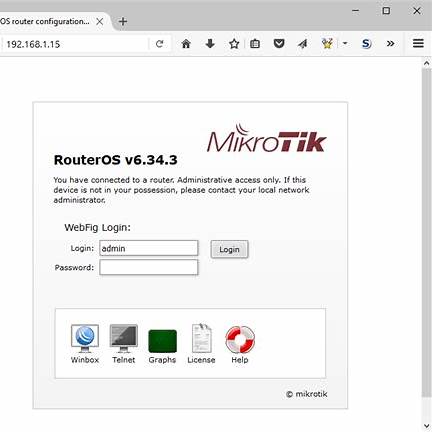
/ip service print
/ip service set telnet disabled=yes
/ip service set ftp disabled=yes
/ip service set www disabled=yes         # enable www-ssl instead of plain-HTTP
/ip service set api disabled=yes
/ip service set api-ssl disabled=yes
/ip service set ssh address=0.0.0.0/0    # narrow if necessary
/ip service set winbox port=8291         # change the port if desired
WebFig and Winbox are similar managers in terms of capabilities; by default, WebFig uses HTTP on port 80 (it is better to enable HTTPS), while Winbox uses TCP 8291.
Enable HTTPS for WebFig:
/user add name=ops group=full password="ComplexPassword123!"
/user disable admin/ip service set www disabled=yes
/ip service set www-ssl disabled=no certificate=<yours-cert>(or leave admin, but set a complex password and restrict access by address)
/system clock set time-zone-name=Etc/UTC
/system ntp client set enabled=yes servers=pool.ntp.org/ip firewall nat add chain=srcnat out-interface=ether1 action=masquerade/ip firewall filter
add chain=input connection-state=established,related action=accept
add chain=input connection-state=invalid action=drop
add chain=input protocol=tcp dst-port=22,8291,443,80 src-address-list=mgmt action=accept
add chain=input in-interface=ether1 action=drop comment="drop rest from WAN"
/ip firewall address-list
add list=mgmt address=203.0.113.0/24Check and update RouterOS:
/system package update check-for-updates
/system package update install
Check CHR license:
/system license print(For production loads, select p1/p10/p-unlimited — see the official CHR section)
/ip dhcp-client add interface=ether1 use-peer-dns=yes use-peer-ntp=yes(For server environments, a static address is preferable.)
/interface bridge add name=br0
/interface bridge port add bridge=br0 interface=ether1
/ip address add address=192.0.2.10/24 interface=br0/interface vlan add name=wan.100 vlan-id=100 interface=ether1
/ip address add address=203.0.113.10/24 interface=wan.100
/ip route add gateway=203.0.113.1
