

*Cube-Host– full cloud services!!
: Function WP_Styles::add was called incorrectly. The style with the handle "hello-elementor-child-style" was enqueued with dependencies that are not registered: hello-elementor-theme-style. Please see Debugging in WordPress for more information. (This message was added in version 6.9.1.) in /home/csrkub/domains/cube-vps.com/public_html/wp-includes/functions.php on line 6131
Notice: Function WP_Scripts::add was called incorrectly. The script with the handle "gpress-custom-js" was enqueued with dependencies that are not registered: gpress-siema. Please see Debugging in WordPress for more information. (This message was added in version 6.9.1.) in /home/csrkub/domains/cube-vps.com/public_html/wp-includes/functions.php on line 6131
*Cube-Host– full cloud services!!

WSB is a built-in OS tool that can handle System State, volumes, files, and runs on a schedule.

For network storage, create a separate directory, grant RW permissions only to SYSTEM, Domain Admins (or local administrators), and, if necessary, source computer objects.
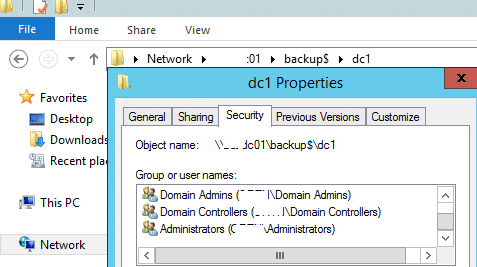
Important: When backing up to a network folder, the standard wbadmin.msc utility saves only one “current” copy. For many versions, we use wbadmin.exe + our own rotation (see below).
Create a folder like \backup-srvwinvps01$YYYY-MM-DD and start the backup. For System State, use -systemState, for volumes — -include:C:,D:.
Scenario with a “by date” folder, running wbadmin, and log examples
Where to view logs: C:WindowsLogsWindowsServerBackup*.log

On a locally connected disk, you can limit the number of versions by default:
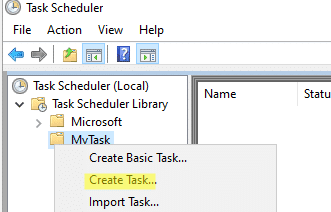
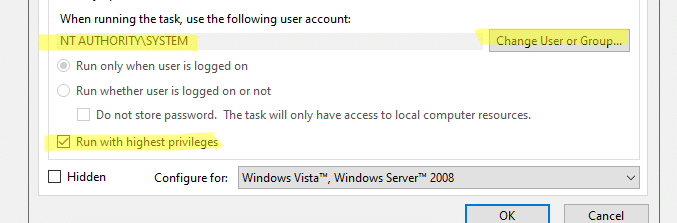
taskschd.msc → Create Task… → it is better to launch from SYSTEM + Run with highest privileges → configure triggers and action powershell.exe -NoProfile -ExecutionPolicy Bypass -File C:PSBackup.ps1.


The all-in-one alternative:
Creates a daily schedule using WSB. Syntax — in Microsoft Learn.
For the data catalog (sites, uploads), it is convenient to make folder snapshots by date:
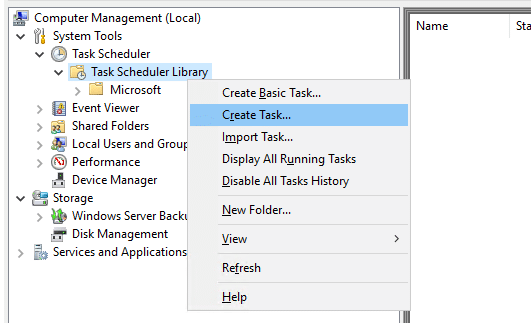
Shadow copies provide “previous versions” and help you quickly restore individual files without a large backup. In a domain, it is convenient to enable VSS with policies and create snapshots with a script/scheduler.
Enable the Volume Shadow Copy service (startup type: Automatic).

Regularly create a snapshot (example with vshadow.exe) and reserve 10–20% of the disk for shadows.
List of snapshots: vssadmin list shadows → take the Shadow Copy ID.

Mount a specific snapshot (read-only) and copy the files:

VSS and shadow volume base — in Microsoft Learn.

